
Talking Freddy Fazbear Trash Can Instructions for Use
Turning Freddy On and Off
On the underside of Freddy is a small On/Off switch. By default, Freddy ships while turned off. He will need to be turned on before he can be used.
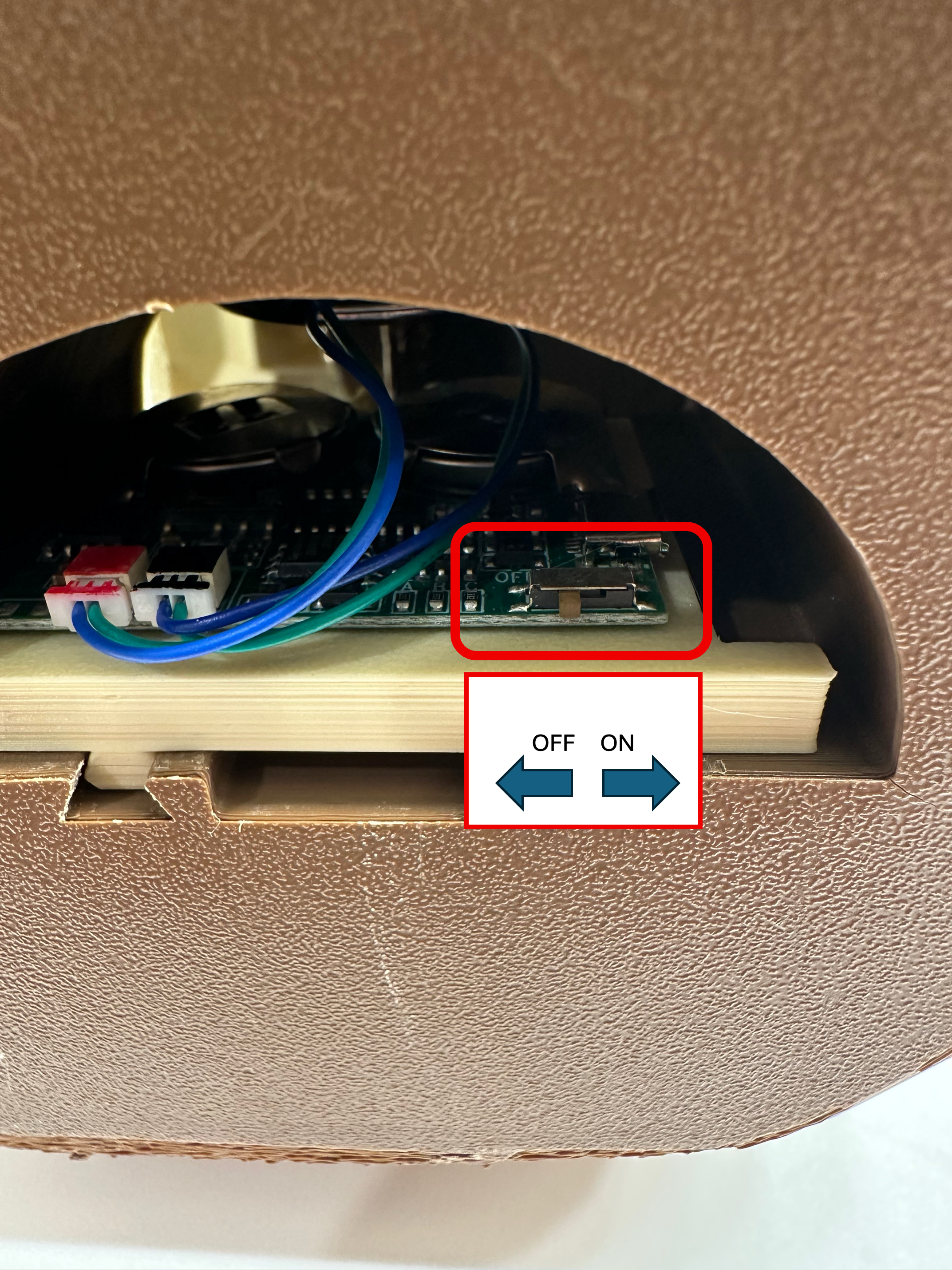
Replacing Freddy's Batteries
Freddy uses two CR2032 button cell batteries. To replace them, perform the following:
-
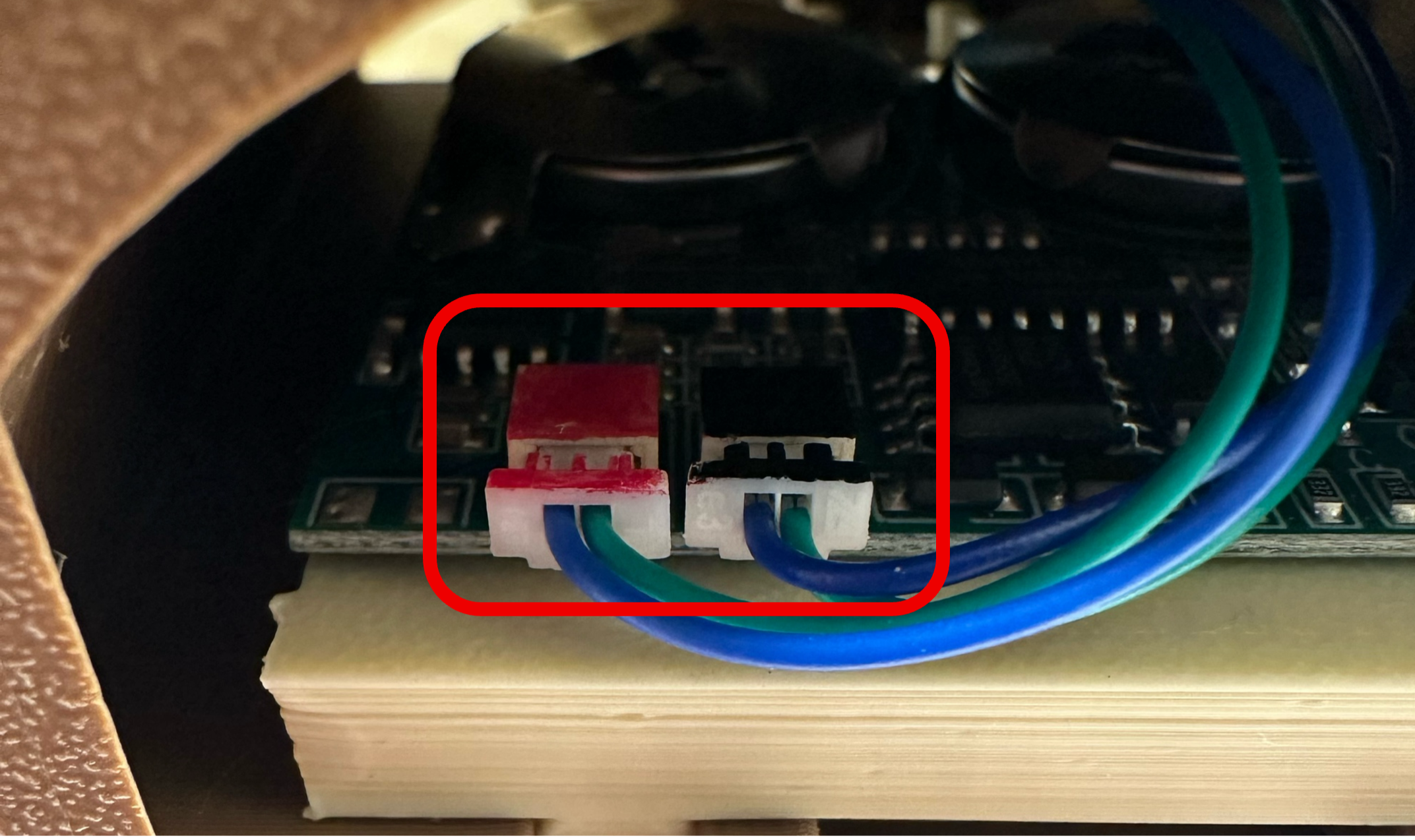
Tip Freddy on his side so the bottom can be easily accessed. Carefully remove the black and red power connectors.
-
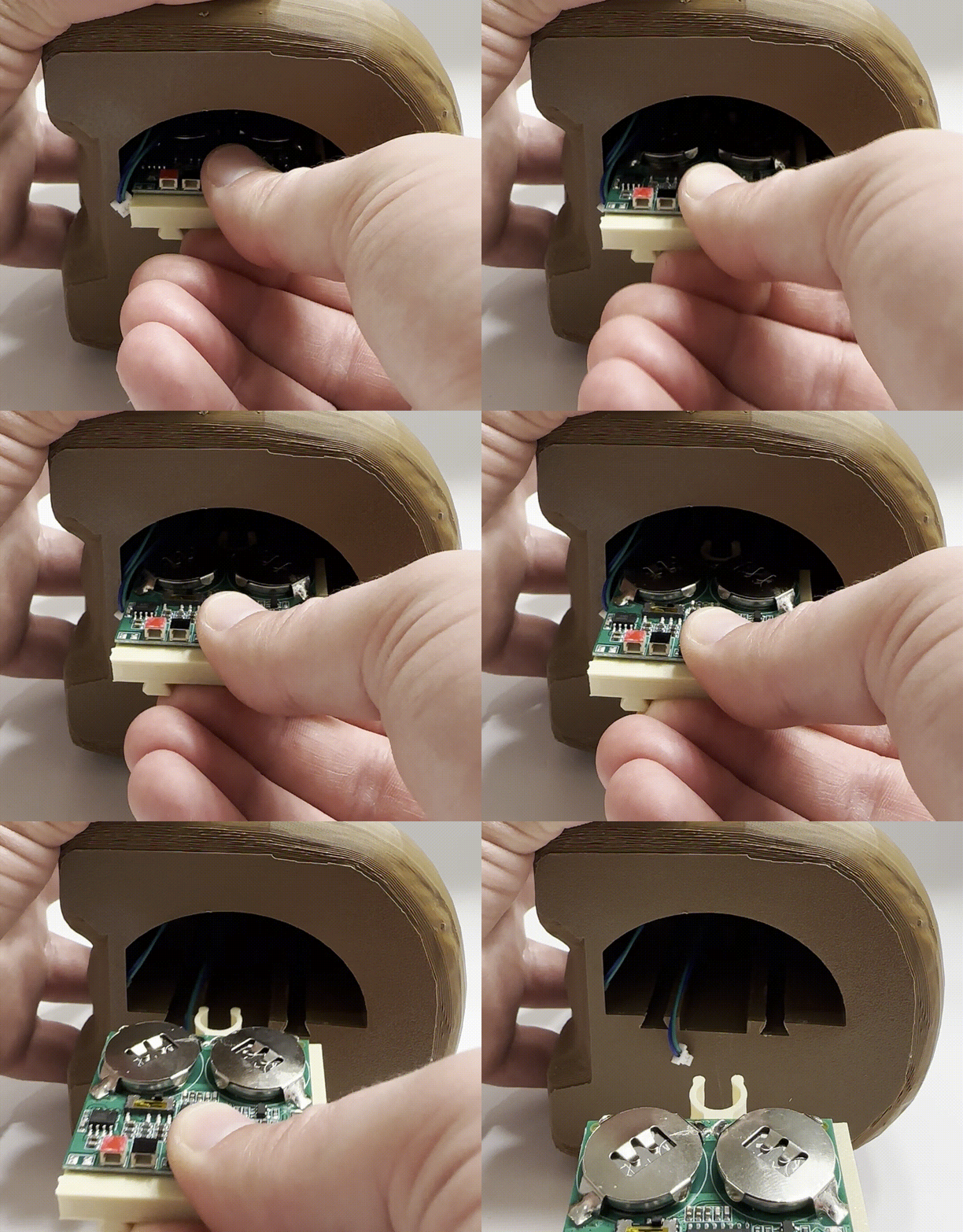
Slide the tan colored motherboard tray out. This can require some force. You may need to press down on the motherboard to get a proper grip. Do not hesitate to do so.
-
Remove the two button batteries as shown, using a small tool (I used a screwdriver) to push the battery out. Do this for both batteries.
-
Push the new batteries into place, ensuring that the side with text is facing up. Do this for both sides.
-
Push the motherboard tray back into Freddy, aligning the lower guide rails. Continue pushing until you feel the board pull into place.
-
Plug the black and red cable connectors back into the motherboard, ensuring that the red and black connectors correspond with the red and black outlet.